Compare Available Routes
Market swaps compare supported Atmos and WARs quotes when available. Review the selected route and estimated output before you sign.
Swap SUPRA and trade Supra ecosystem tokens with live charts, route details, and wallet-connected trading. Research your pair, review your quote, and sign when you are ready.
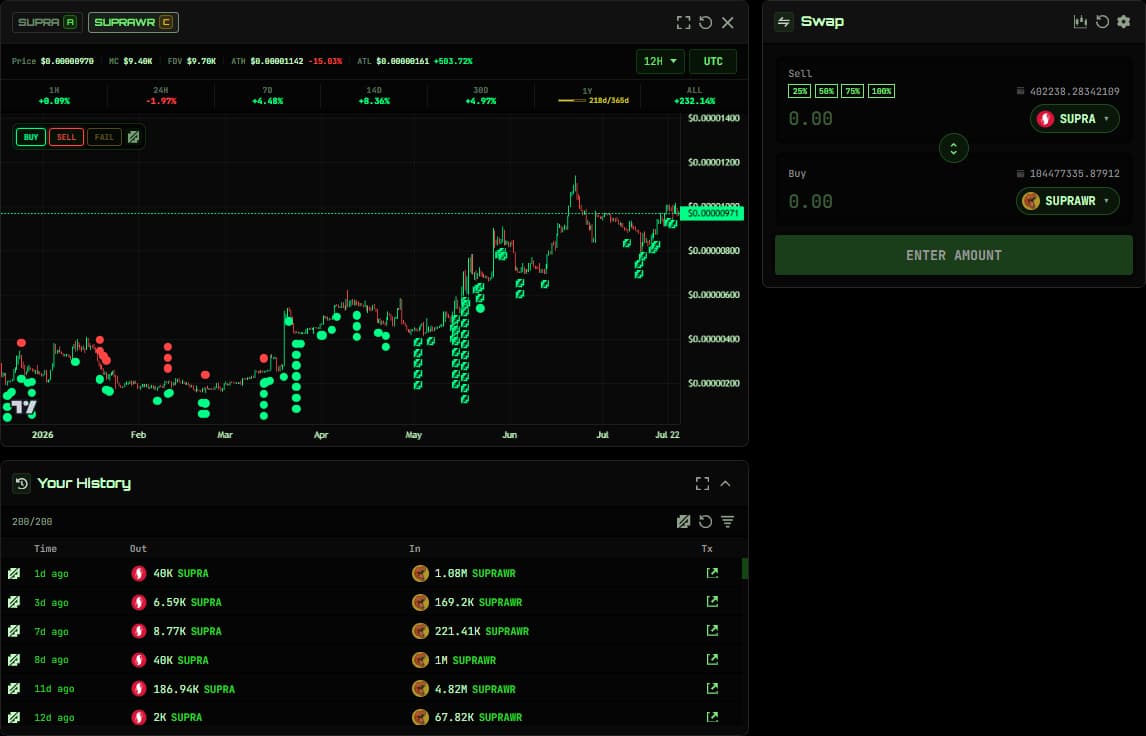
Bring research and execution together. Find supported tokens, explore their market activity, and review the details of your swap in one connected trading experience.
Market swaps compare supported Atmos and WARs quotes when available. Review the selected route and estimated output before you sign.
Explore token charts, market statistics, and recorded trading activity alongside your trade. Open a Token Insight Profile for the data behind its grade.
Move from a supported asset in your portfolio into Trade with the token selected. Review your holdings, research the market, and prepare your next move.
Trade at the current quote.
Choose your tokens and amount, then review the available route, estimated output, price impact, and slippage before confirming the swap in your wallet.
Choose your price.
Set a target for a buy or sell instead of accepting the current market price. Choose your amount and expiry, then review the order before signing.
Plan your exit.
Set a sell trigger and the lowest price you are willing to accept below it. Available on supported routes, with your minimum received shown in the review.
Build over time.
Split a SUPRA budget into scheduled buys. Choose the number of buys, an hourly, daily, or weekly interval, and a maximum price per buy.
Order availability depends on your access, current settings, and supported routes. Review the contract terms before signing; execution depends on order conditions and liquidity.
Connect your wallet, search for the tokens you want to sell and buy, and enter an amount. Available routes depend on your selected pair and liquidity.
Check the route, output, fees, price impact, and slippage. For an order, review the target, expiry or schedule, and the contract terms shown before signing.
Sign when you are ready. Check the transaction result, follow recorded trading activity, and use My Orders to inspect supported open and past orders.
Open Synthwav Trade, connect your Supra wallet, and select SUPRA and a supported ecosystem token. Enter an amount and review the available swap quote before confirming in your wallet.
Search by token name, ticker, or address in Trade. Review the selected asset, available market data, and quote details. You can also open Trade from a supported asset in your Synthwav Portfolio.
Market swaps compare supported Atmos and WARs routes when quotes are available. A route is not available for every pair, and Market support does not establish support for every order type.
These order types are available where enabled for your wallet, Trade mode, and route. They require SUPRA on one side and a supported fungible-asset token on the other. Stop Loss has additional route requirements. Orders use the WARs order contract and may remain unfilled if their conditions or liquidity do not permit execution.
Review the current fees and quote before signing. Order reviews show the applicable WARs and Synthwav fees and any refundable sell deposit. DCA fees apply per buy. Network gas is additional, so keep enough SUPRA available to pay it.
My Orders lets the connected order owner cancel eligible open orders or reclaim funds from eligible expired orders. Completed trades cannot be undone. Custom Alerts can notify you about selected conditions; they never place a trade for you.